# Phoityne VSCode
Phoityne is a ghci debug viewer for Visual Studio Code.
## Information
* [2017/09/10] phoityne-vscode released.
* Marketplace [phoityne-vscode-0.0.14](https://marketplace.visualstudio.com/items?itemName=phoityne.phoityne-vscode)
* hackage [phoityne-vscode-0.0.16.0](https://hackage.haskell.org/package/phoityne-vscode)
__Need update from hackage !!.__
* Release Summary
* [ADD] supported ghc-8.2.0.
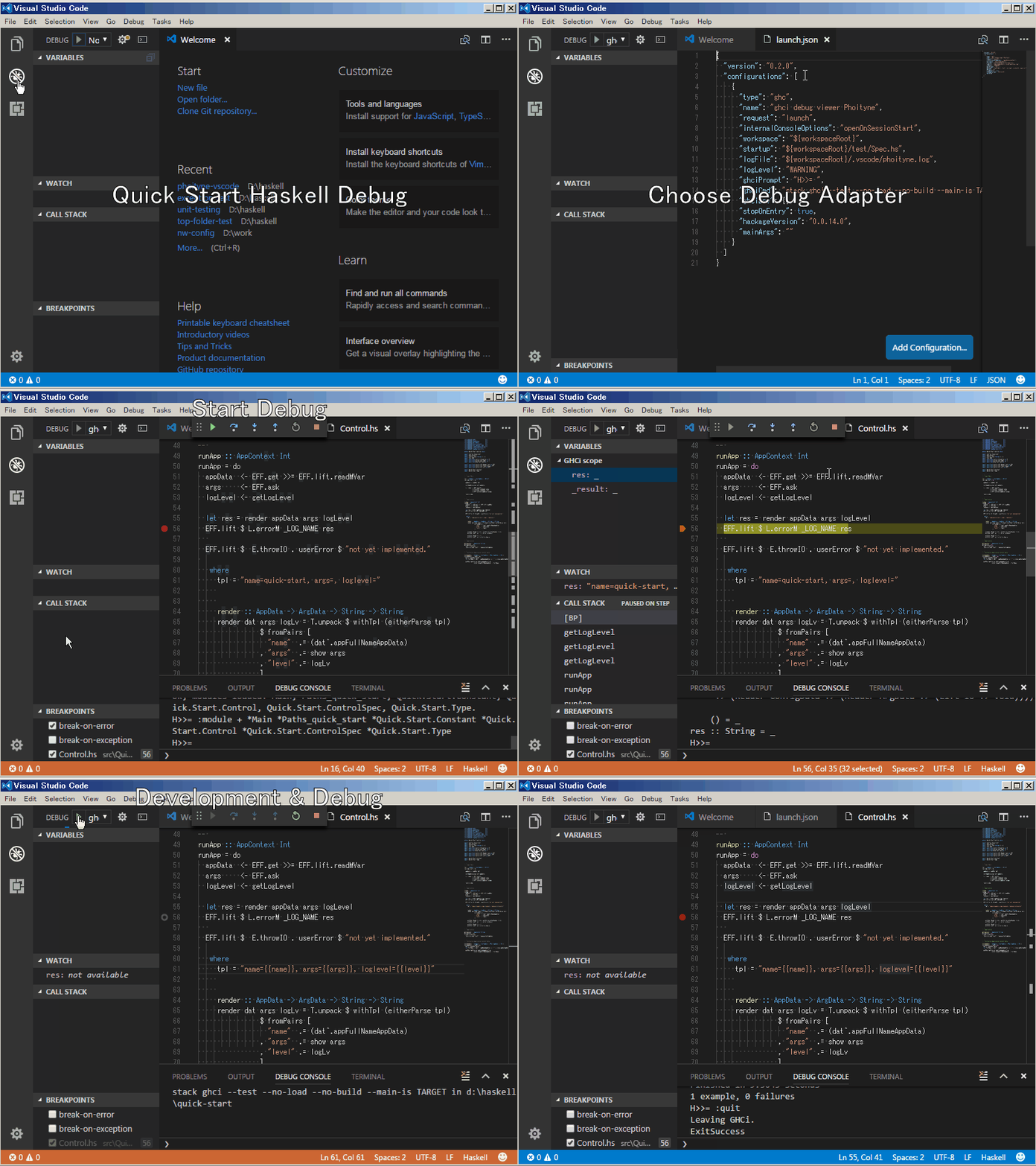
(This sample project is available from [here](https://github.com/phoityne/stack-project-template).)
## Important
* __LIMITATION__: Breakpoint can be set in a .hs file which defineds "module ... where".
Phoityne can handle modules which match its folder hierarchy and file name.
* __LIMITATION__: Source file extension must be ".hs"
* __LIMITATION__: Can not use STDIN handle while debugging.
* __LIMITATION__: Changing ghci prompt is not allowed in the .ghci file.
* When you start debugging for the first time, .vscode/tasks.json will be created automatically. Then you can use F6, F7, F8 shortcut key.
* F5 : start debug
* F6 : show command menu (for stack watch)
* Shift + F6 : stop stack watch
* F7 : stack clean & build
* F8 : stack test
* F9 : put bp on current line
* Shift + F9 : put bp on current column
* While debugging, you can use F5, F9, F10, F11 shortcut key.
* F5 : jump to next bp
* F9 : put bp on the line
* Shift + F9 : put bp on the column
* F10 : step next
* F11 : step into
## Install
### Run stack install
% stack install phoityne-vscode
. . . . .
%
Add 'phoityne-vscode.exe' to PATH environment.
% where $path:phoityne-vscode.exe
C:\Users\[user name]\AppData\Roaming\local\bin\phoityne-vscode.exe
% phoityne-vscode --version
phoityne-vscode-0.0.15.0
%
% code
### Install vscode extensions
1. run VSCode and open stack project __Folder__ from file menu.
2. open Extensions from side menu of VSCode.
3. search "haskell"
4. select "[__Haskell GHCi debug viewer Phoityne__](https://marketplace.visualstudio.com/items?itemName=phoityne.phoityne-vscode)"
## Features
### Run to Cursor
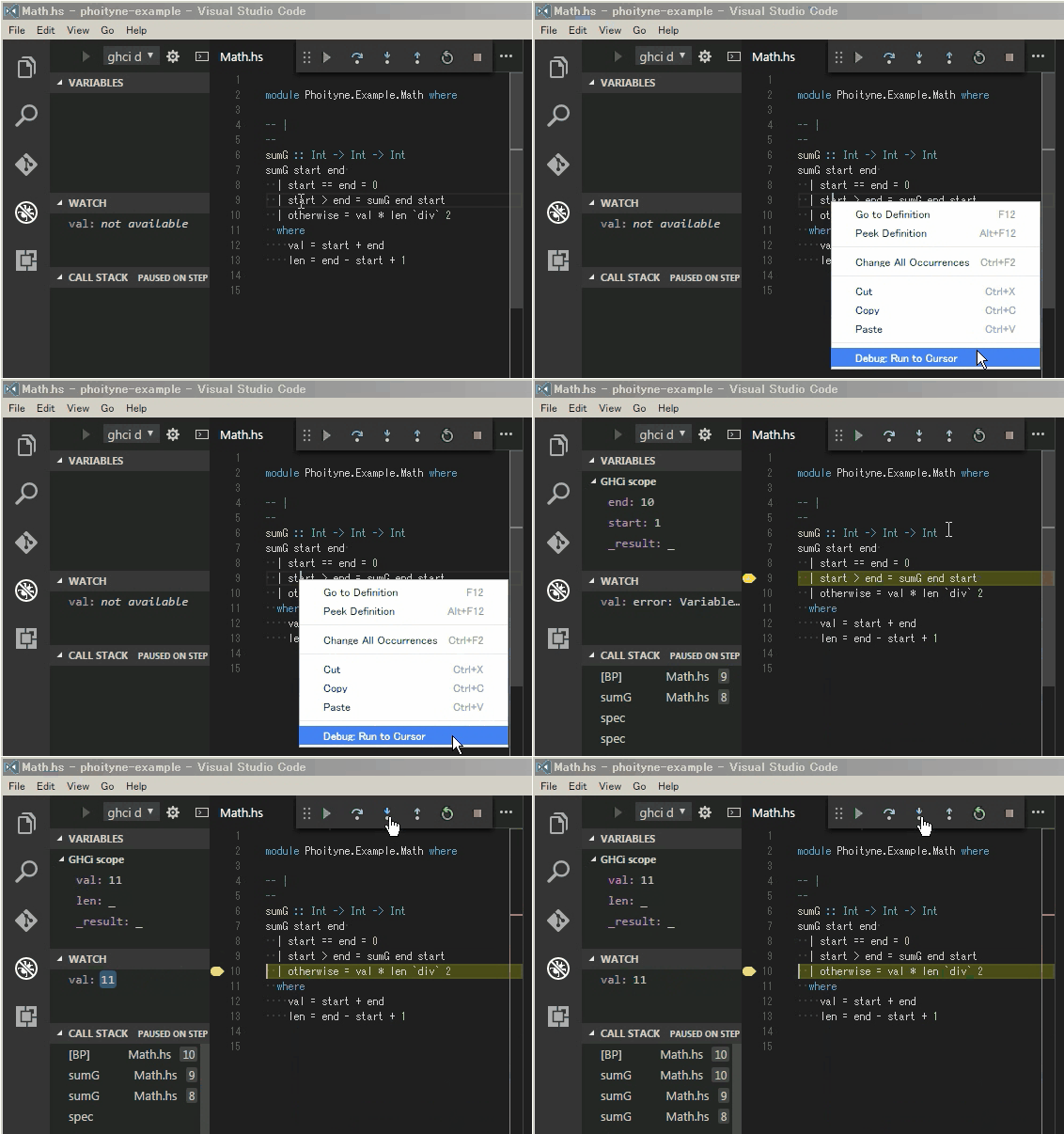
### Bindings & Watch
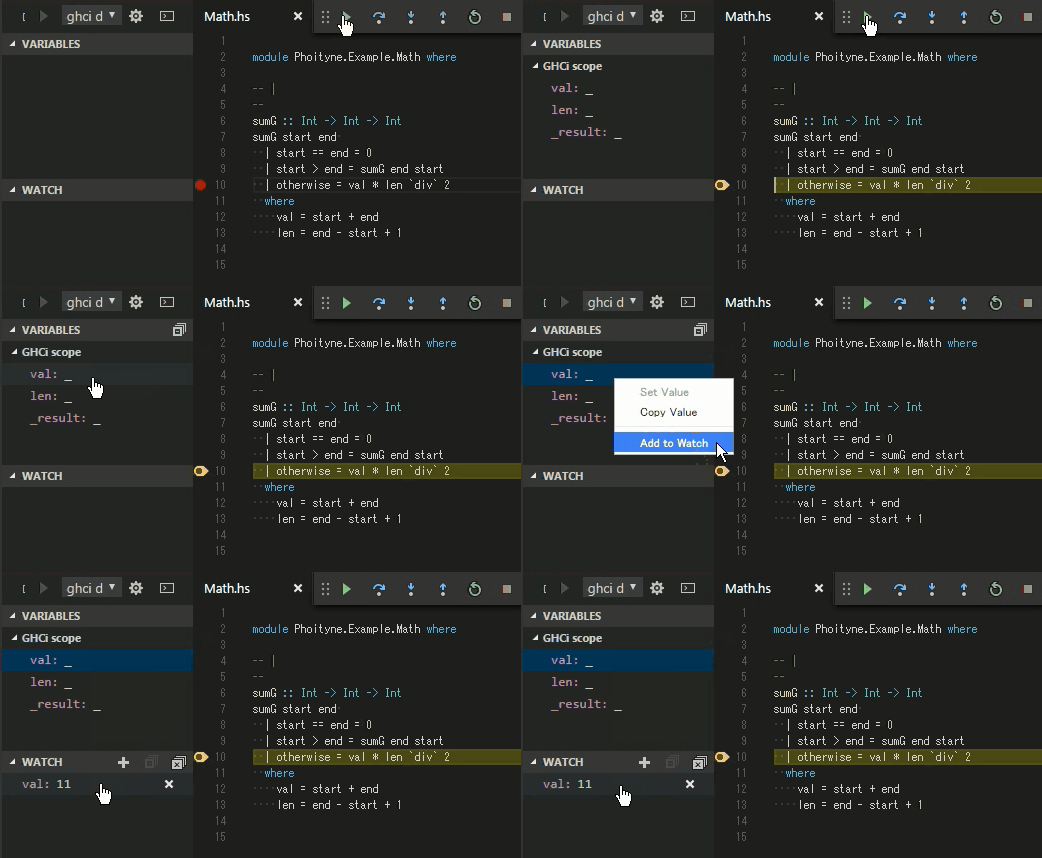
The variable added to watch will be forced.
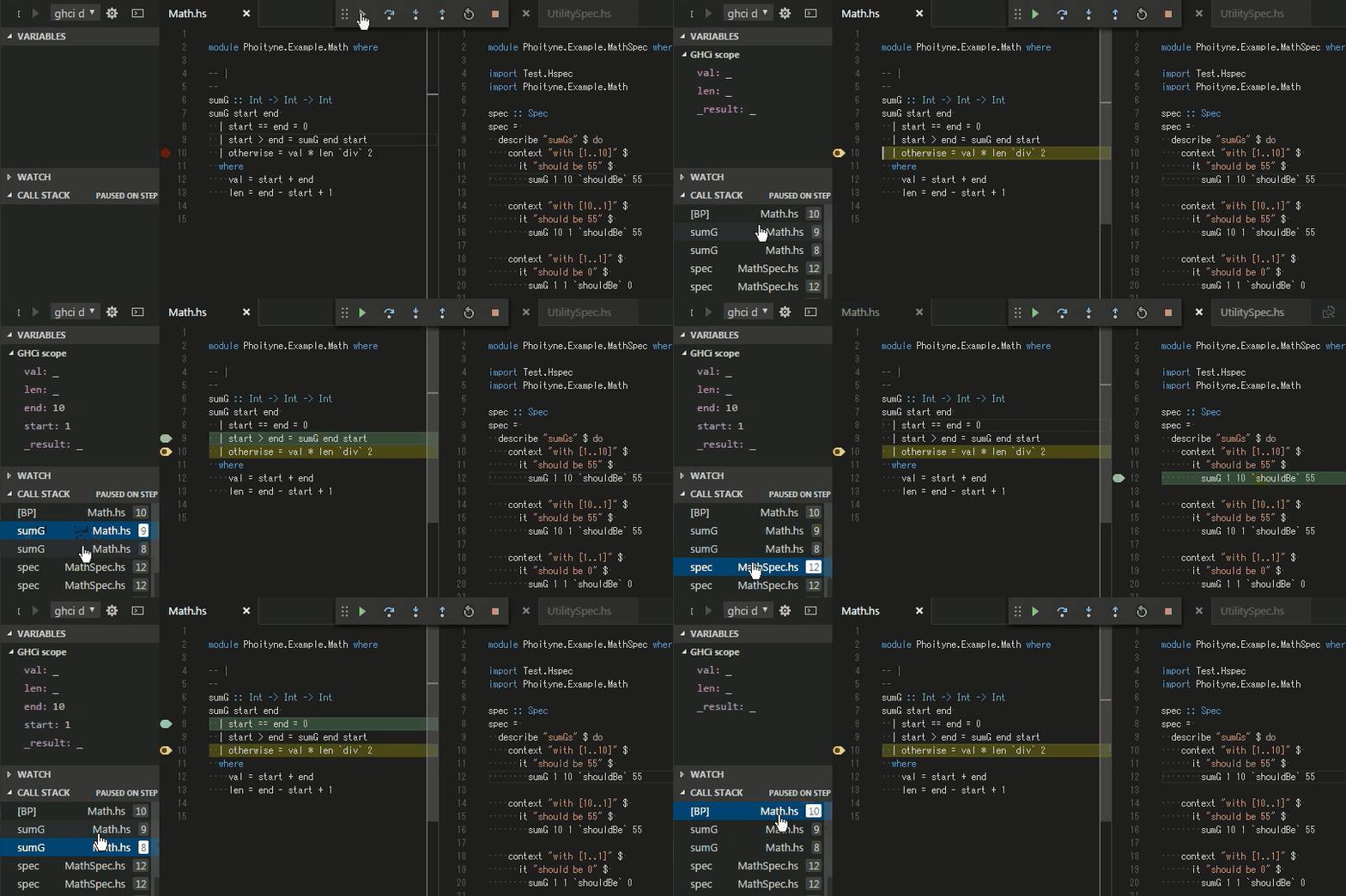
### Stack trace
### Break condition
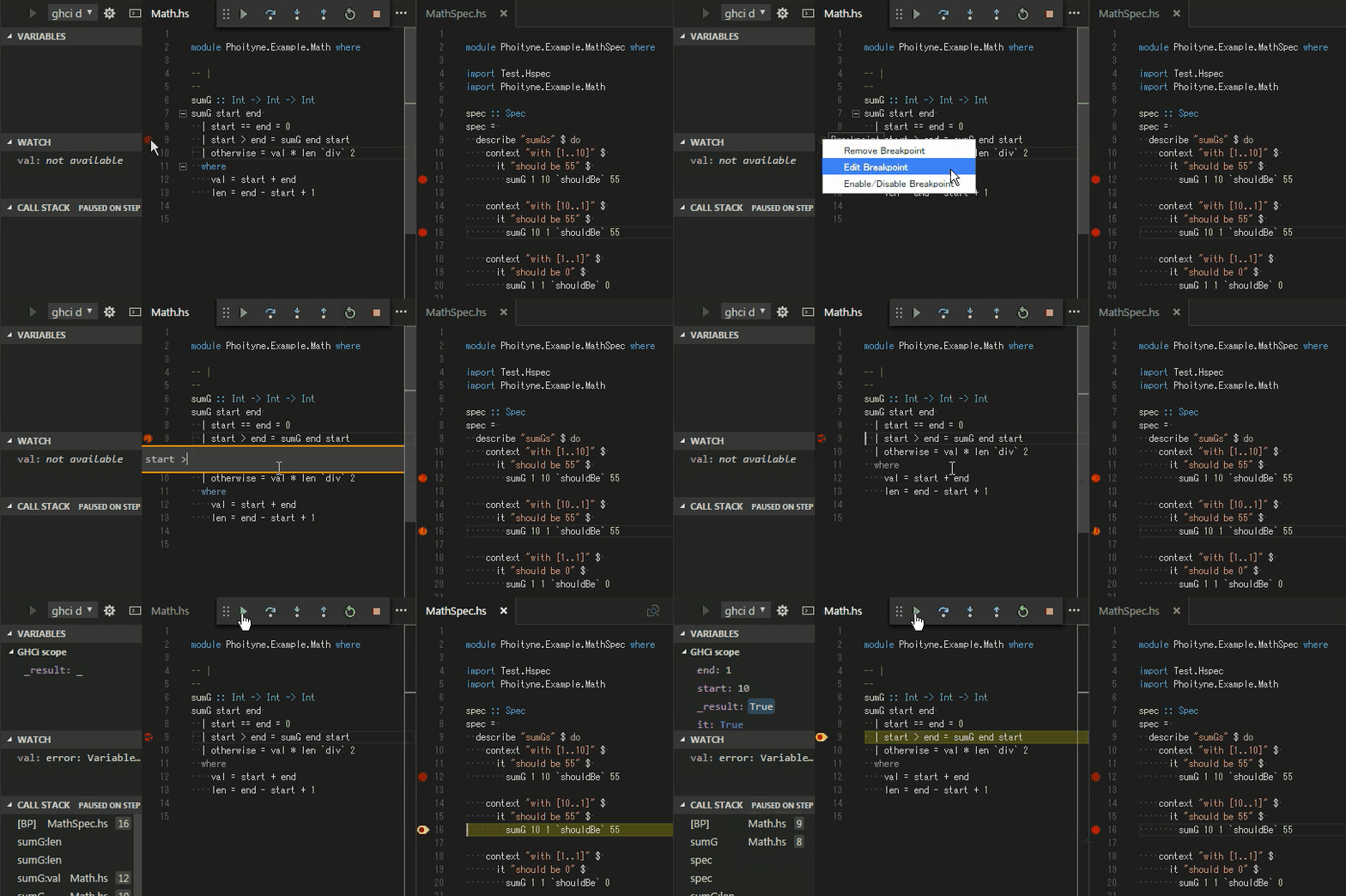
### Hit count break condition
Supports these operators.
* ==
* /=
* <, >
* <=, >=
* mod, %
* just digit is same with '>='
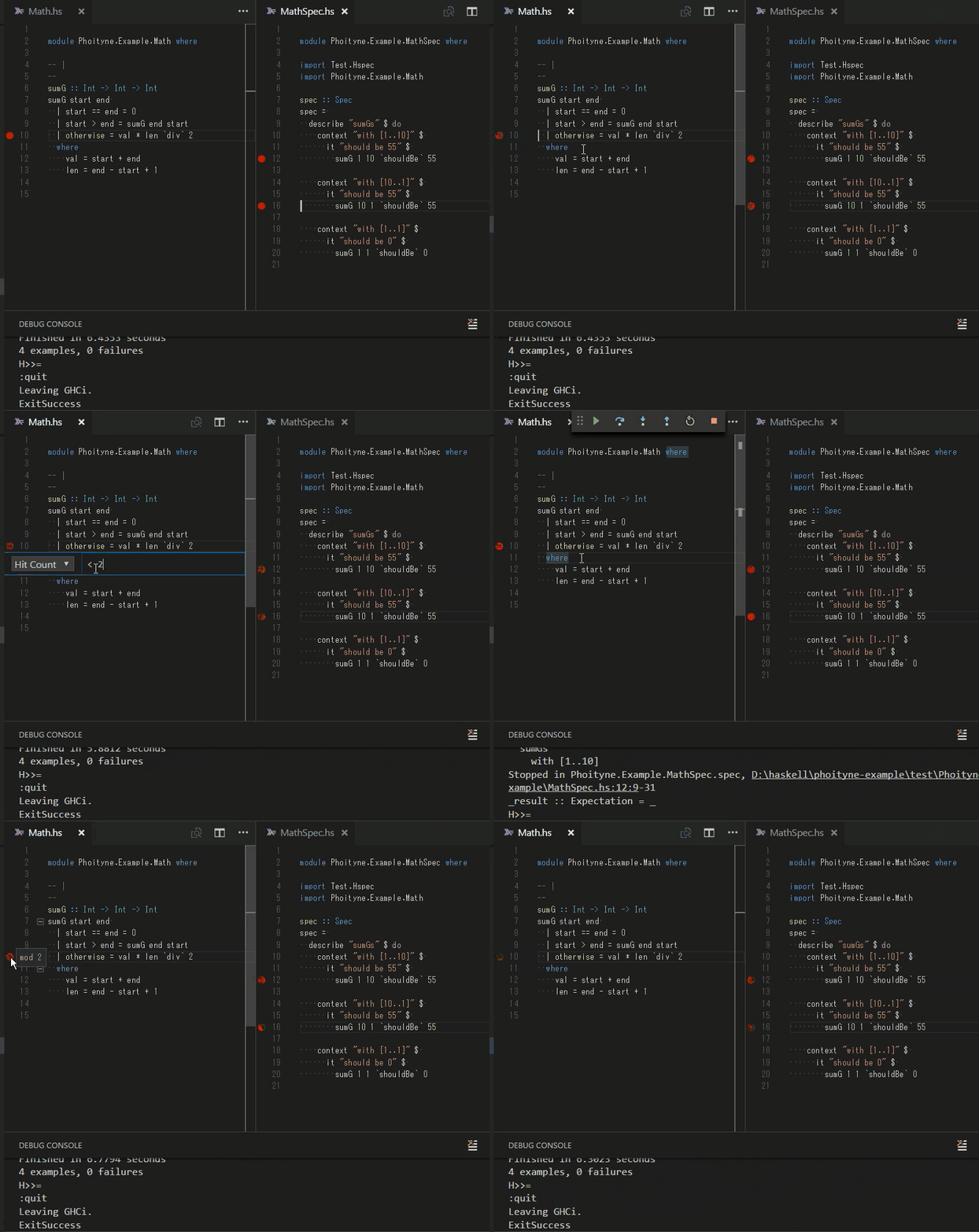
### Break on Exception
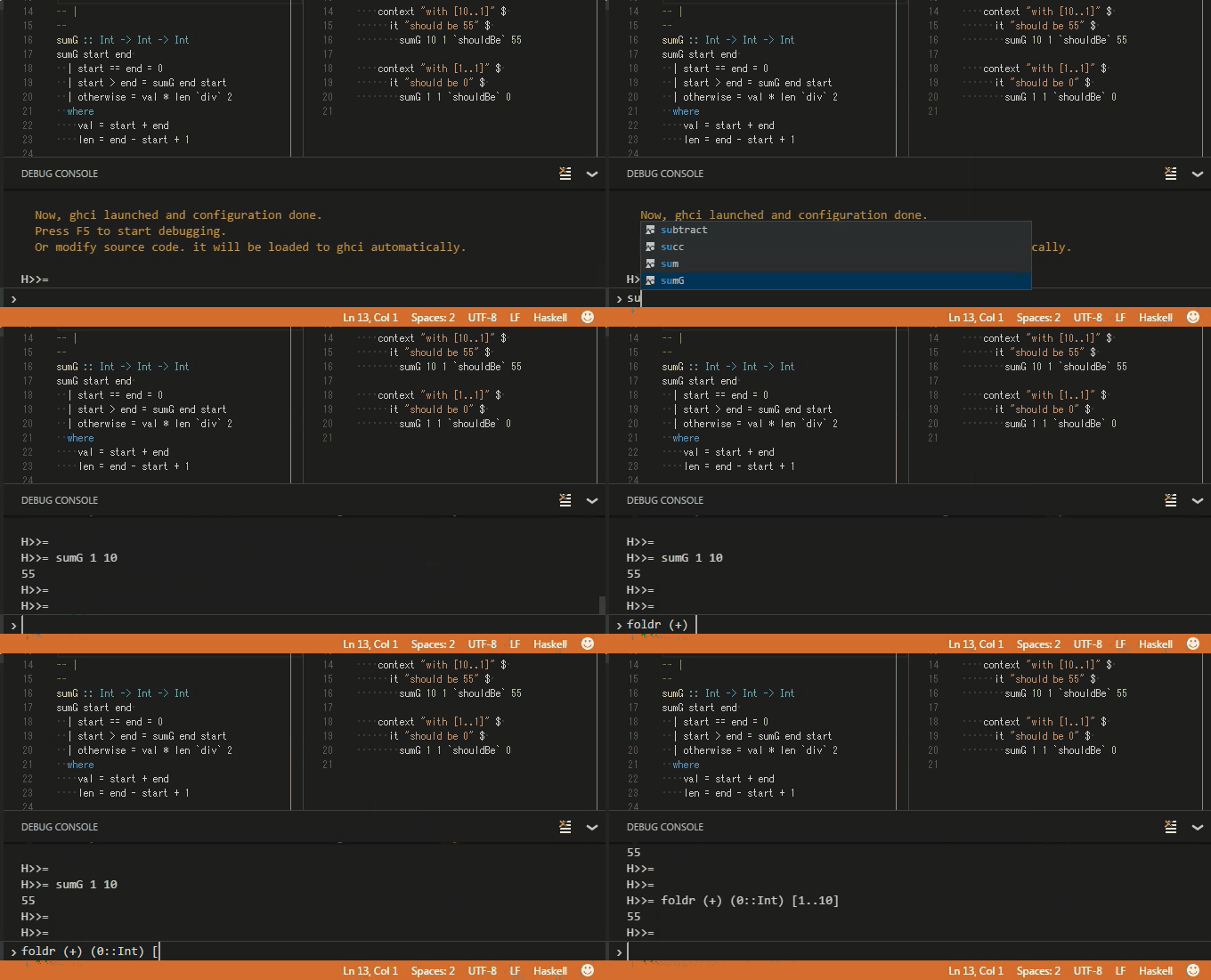
### Repl & Completions
## Capabilites
* supportsConfigurationDoneRequest : **yes**
* supportsFunctionBreakpoints : **yes**
* supportsConditionalBreakpoints : **yes**
* supportsHitConditionalBreakpoints : **yes**
* supportsEvaluateForHovers : **yes**
* exceptionBreakpointFilters : **yes**
* supportsStepBack : no
* supportsSetVariable : no
* supportsRestartFrame : no
* supportsGotoTargetsRequest : no
* supportsStepInTargetsRequest : no
* supportsCompletionsRequest : **yes**
* supportsModulesRequest : no
* additionalModuleColumns : no
* supportedChecksumAlgorithms : no
* supportsRestartRequest : no
* supportsExceptionOptions : no
* supportsValueFormattingOptions : no
* supportsExceptionInfoRequest : no
* supportTerminateDebuggee : no
* supportsDelayedStackTraceLoading : no
## Configuration
### __.vscode/launch.json__
|NAME|REQUIRED OR OPTIONAL|DEFAULT SETTING|DESCRIPTION|
|:--|:--:|:--|:--|
|startup|required|${workspaceRoot}/test/Spec.hs|debug startup file, will be loaded automatically.|
|ghciCmd|required|stack ghci --test --no-load --no-build --main-is TARGET --ghci-options -fprint-evld-with-show|launch ghci command, must be Prelude module loaded. For example, "ghci -i${workspaceRoot}/src", "cabal exec -- ghci -i${workspaceRoot}/src"|
|ghciPrompt|required|H>>=|ghci command prompt string.|
|stopOnEntry|required|true|stop or not after debugger launched.
|logFile|required|${workspaceRoot}/.vscode/phoityne.log|internal log file.|
|logLevel|required|WARNING|internal log level.|
|mainArgs|optional|-|main arguments.|
### __.vscode/tasks.json__
|TASK NAME|REQUIRED OR OPTIONAL|DEFAULT SETTING|DESCRIPTION|
|:--|:--:|:--|:--|
|stack build|required|stack build|task definition for F6 shortcut key.|
|stack clean & build|required|stack clean && stack build|task definition for F7 shortcut key.|
|stack test|required|stack test|task definition for F8 shortcut key.|
|stack watch|required|stack build --test --no-run-tests --file-watch|task definition for F6 shortcut key.|